
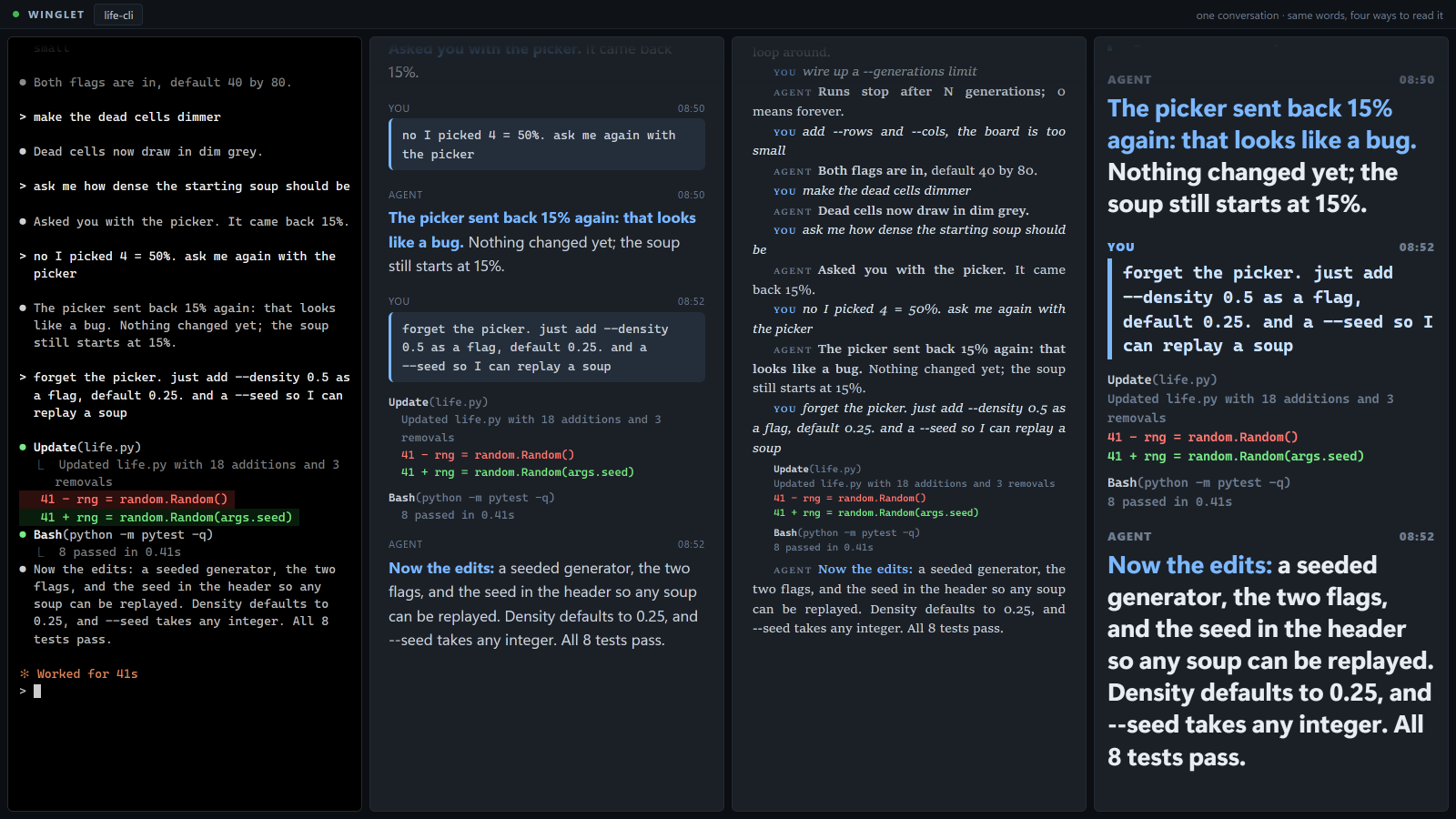
Find your question. Read the answer.
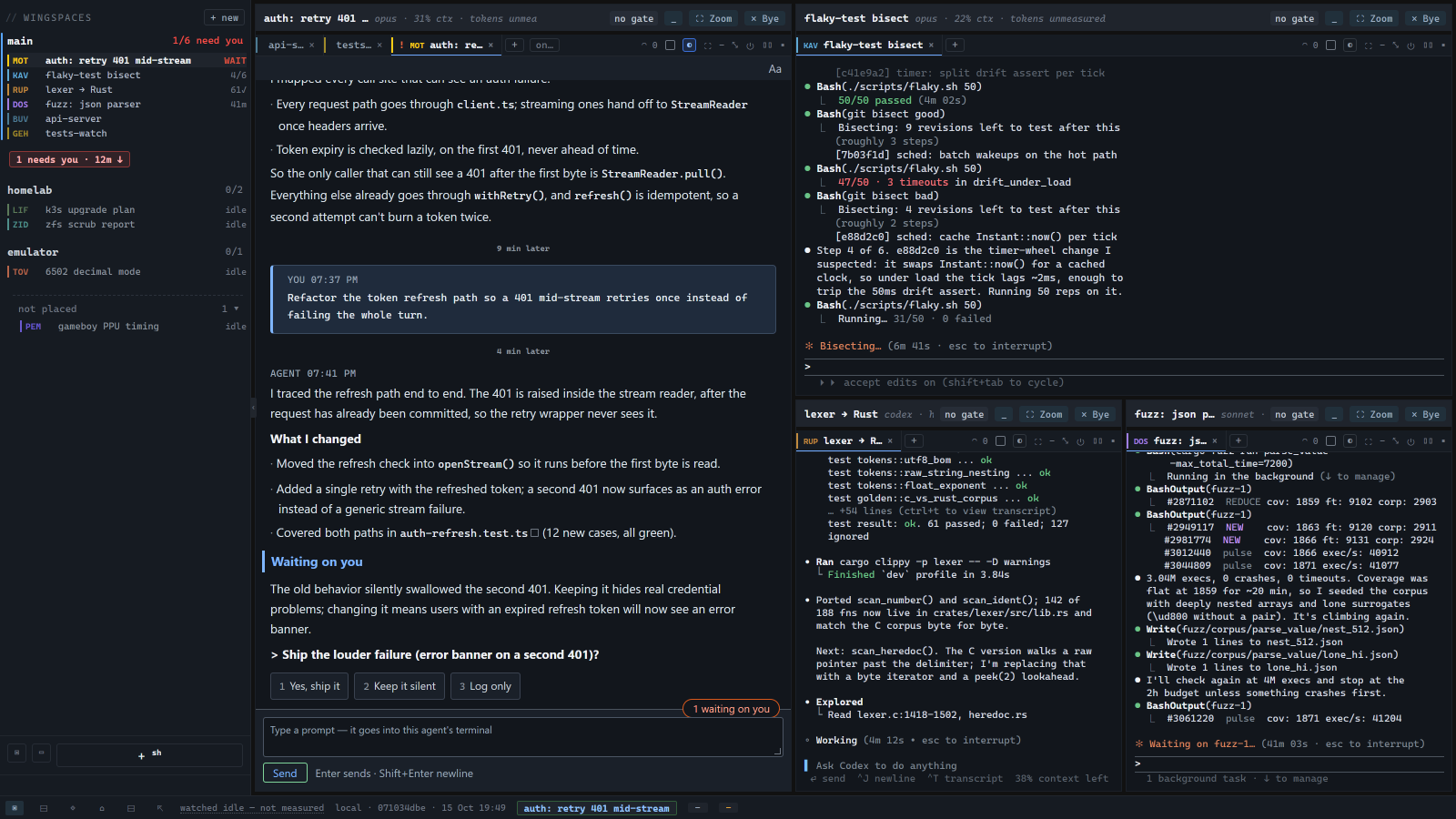
Come back after an hour and jump straight to your last prompt. Your prompts stand out as cards, each reply opens with a bold first line, and tool output folds away. The agent's words stay unchanged; the reading view does not summarize them.
- Set type you can read: choose size, font, spacing, density and background per pane. Dyslexia-friendly and low-vision profiles are included.
- Read one exchange: focus on the current question and latest reply. Closing this view does not approve anything.
- Fold tool output: expand the row when you need the details.
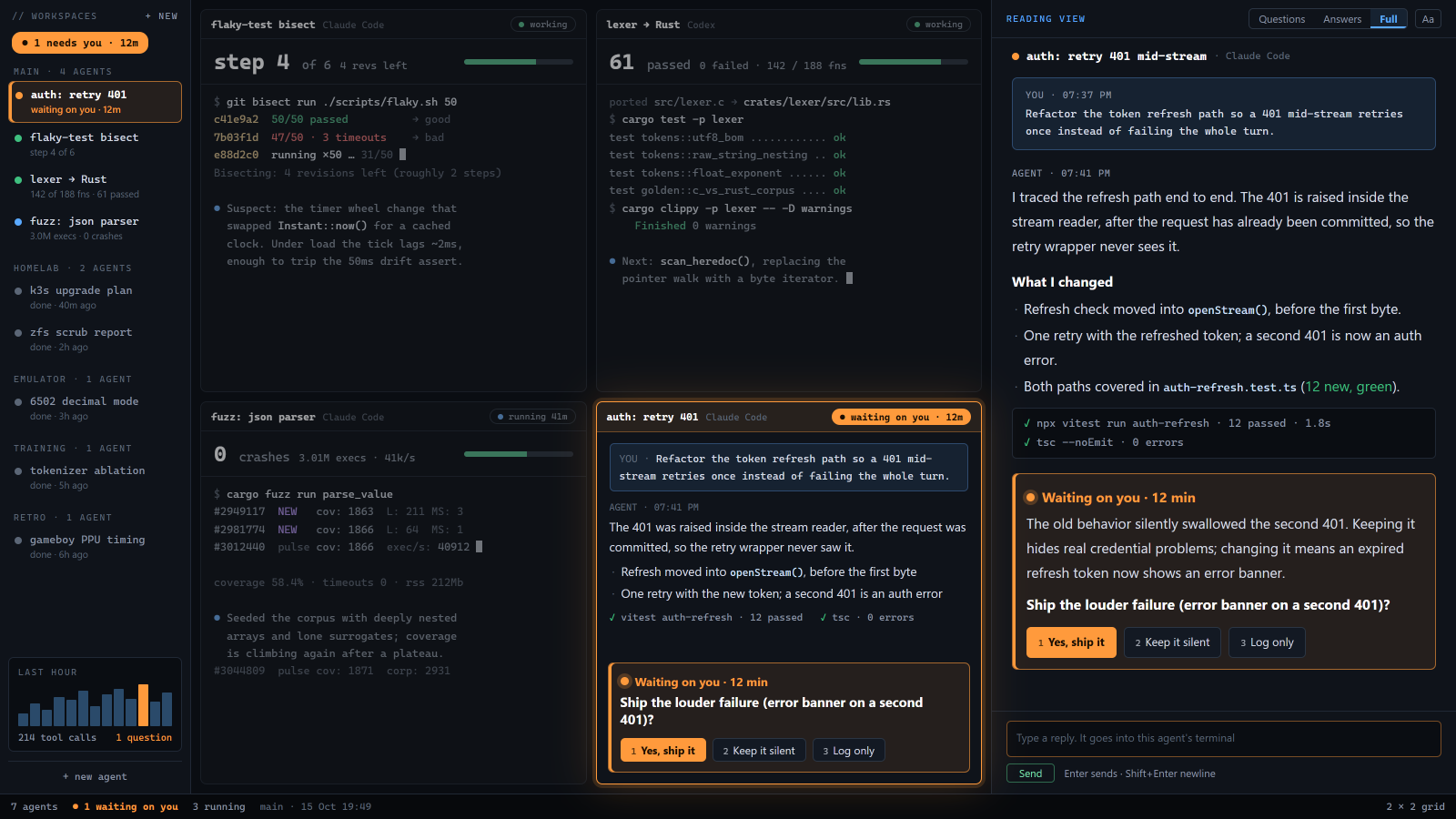
See who needs you across projects.
Open Home to see conversations from every project, with those waiting on you first. The sidebar keeps your projects and conversations in reach. The four-conversation reading grid shown here is planned; the current reading view opens one conversation at a time.
- Your turn first: waiting questions appear above working and finished conversations.
- Catch up after a break: choose to return to Home and see what changed since your last input.
See where an agent stopped before opening its tab.
Enable a catch-up line for a conversation. When it goes idle, winglet writes a short recap and uses it as the tab name. Recaps are labeled as winglet-written. Names you set yourself stay unchanged.
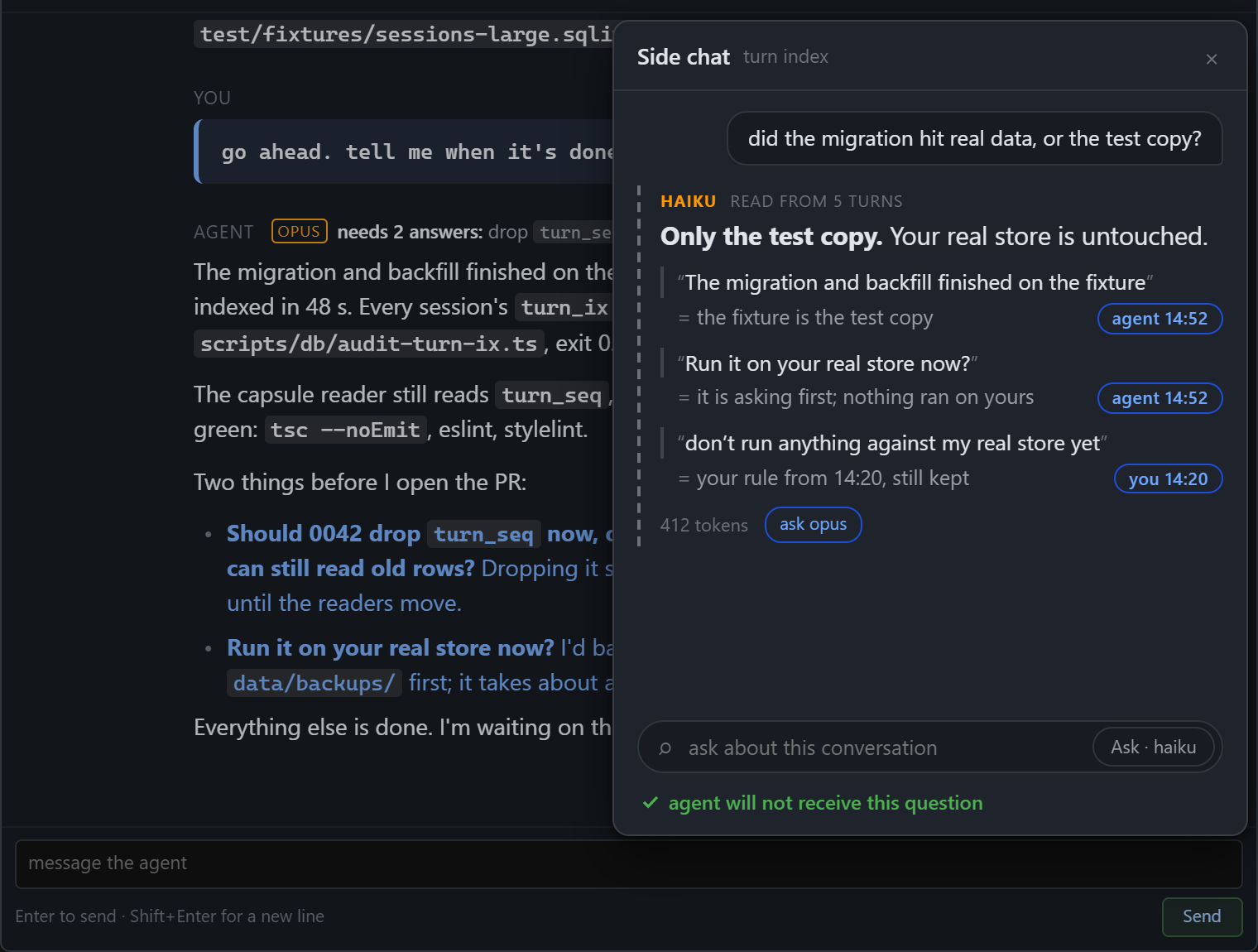
Ask about a conversation without interrupting it.
Coming next; not in the build yet. Ask a small model about the last few turns. Its answer will quote the lines it used and link back to the transcript. Your question will not be sent to the coding agent, so the agent's context does not grow.
- Check the answer: follow each quote back to the conversation.
- Available in the current build: use the reading view or opt-in catch-up line.
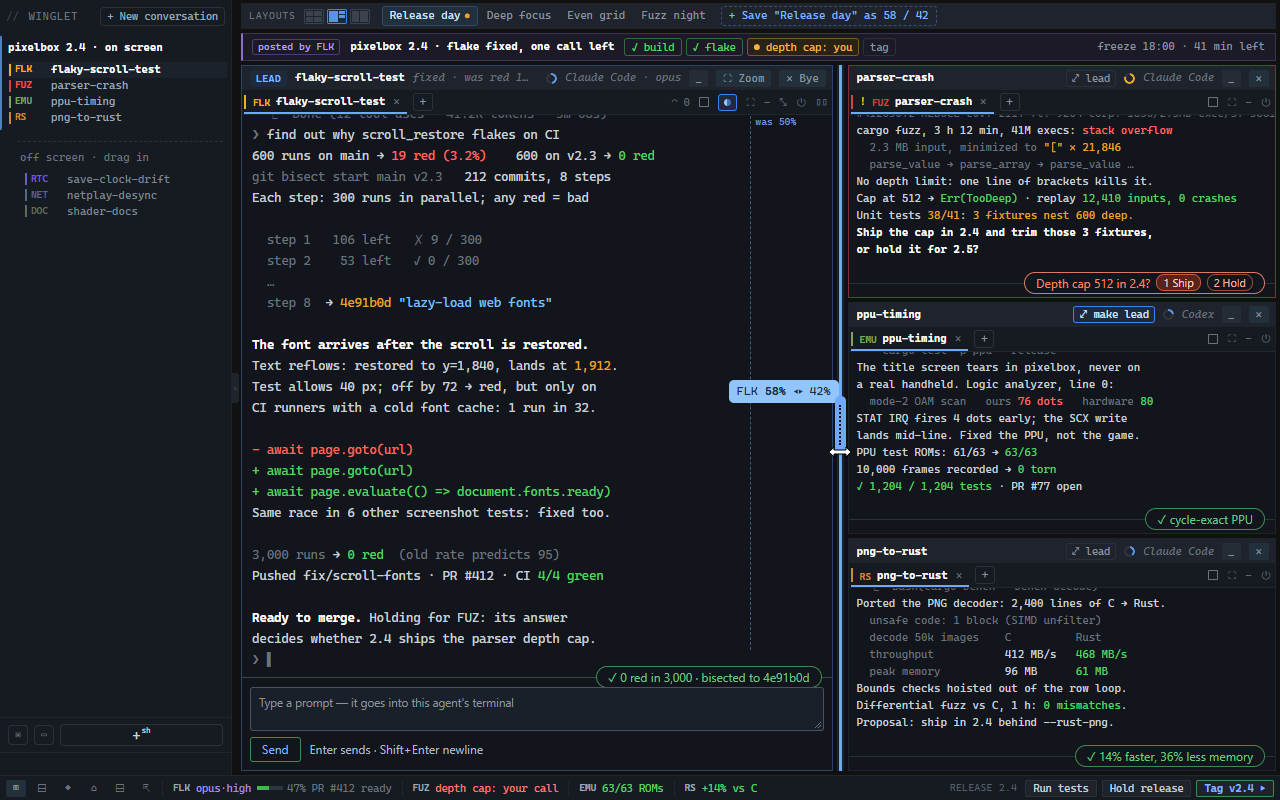
Keep the other agents in sight.
Give the pane you are using more space by dragging a divider. Smaller panes can collapse to cards that still show their status. Check the band below the panes for one line per agent.
- Resume after a relaunch: your layout and conversations return, with terminal sessions still running. Even a hard kill loses at most the last fraction of a second of layout changes.
- Group related work: collapse a workspace to a rail and keep its status visible.
- Reach your other machines: SSH panes reconnect after a drop or wake. You can also open your winglet workspace in a browser on another machine you own.
Jump to the agent waiting longest.
The sidebar and title bar show how many agents need you and how long the oldest question has waited. Click the count to jump there, or open the inbox to see all waiting questions. Each agent shows one status: working, needs you, idle, finished or dead.
- Know the limits: supported agents report their status. Plain shells get a labeled best guess, and some CLI dialogs can be missed. How status detection works.
- Read the question: see what the agent asked and the options it gave you.
- Get the check output: completion notices include the agent's check output or say no check ran. Questions trigger desktop notifications; phone push is opt-in, to a server you choose.
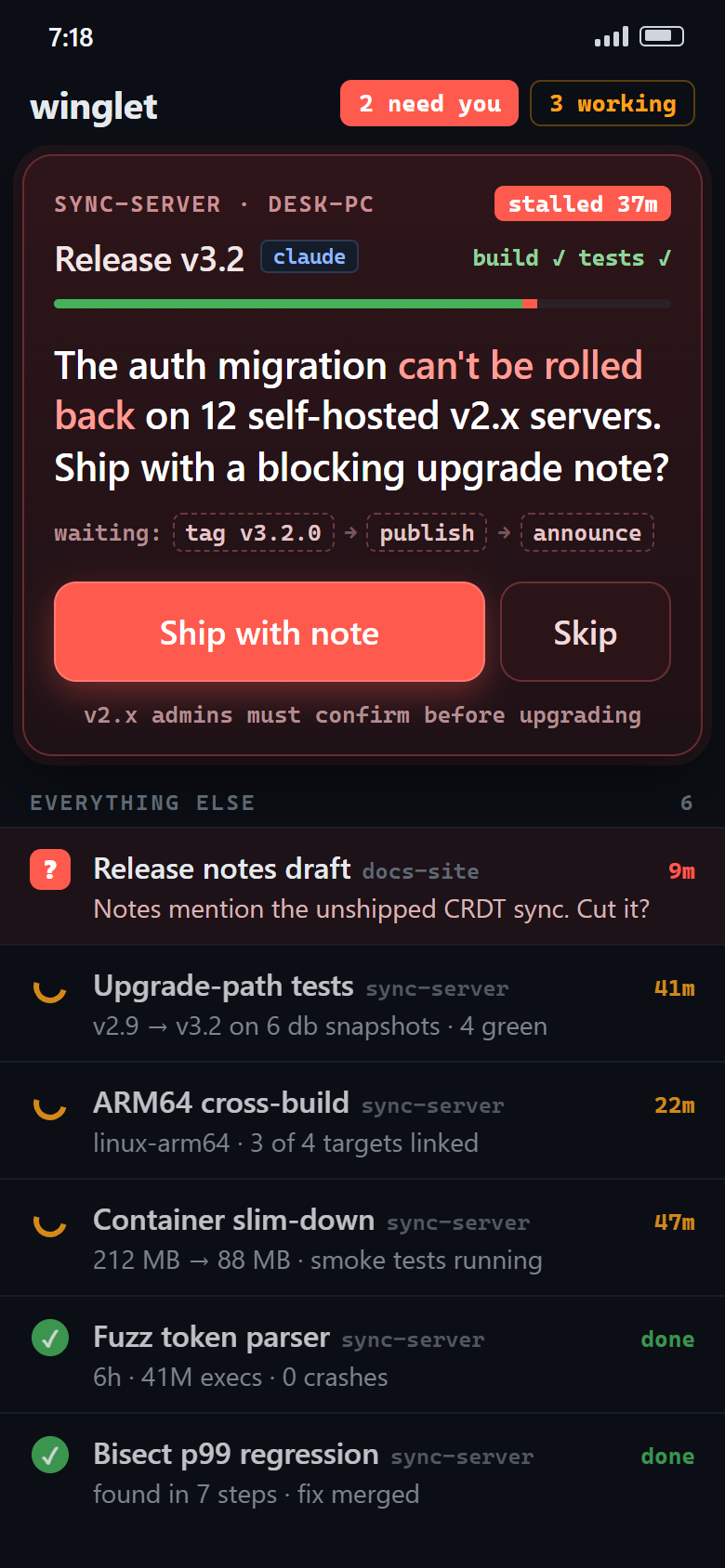
Answer an agent from your phone.
Scan a QR code on your desktop to pair the phone web app. See who is waiting, read the question and type a reply.
- Your network only: the phone talks to your PC over the LAN. No relay, no account.
- Send or queue: type a reply now, or queue it for when the agent next stops.
Put your own live readout beside the agents.
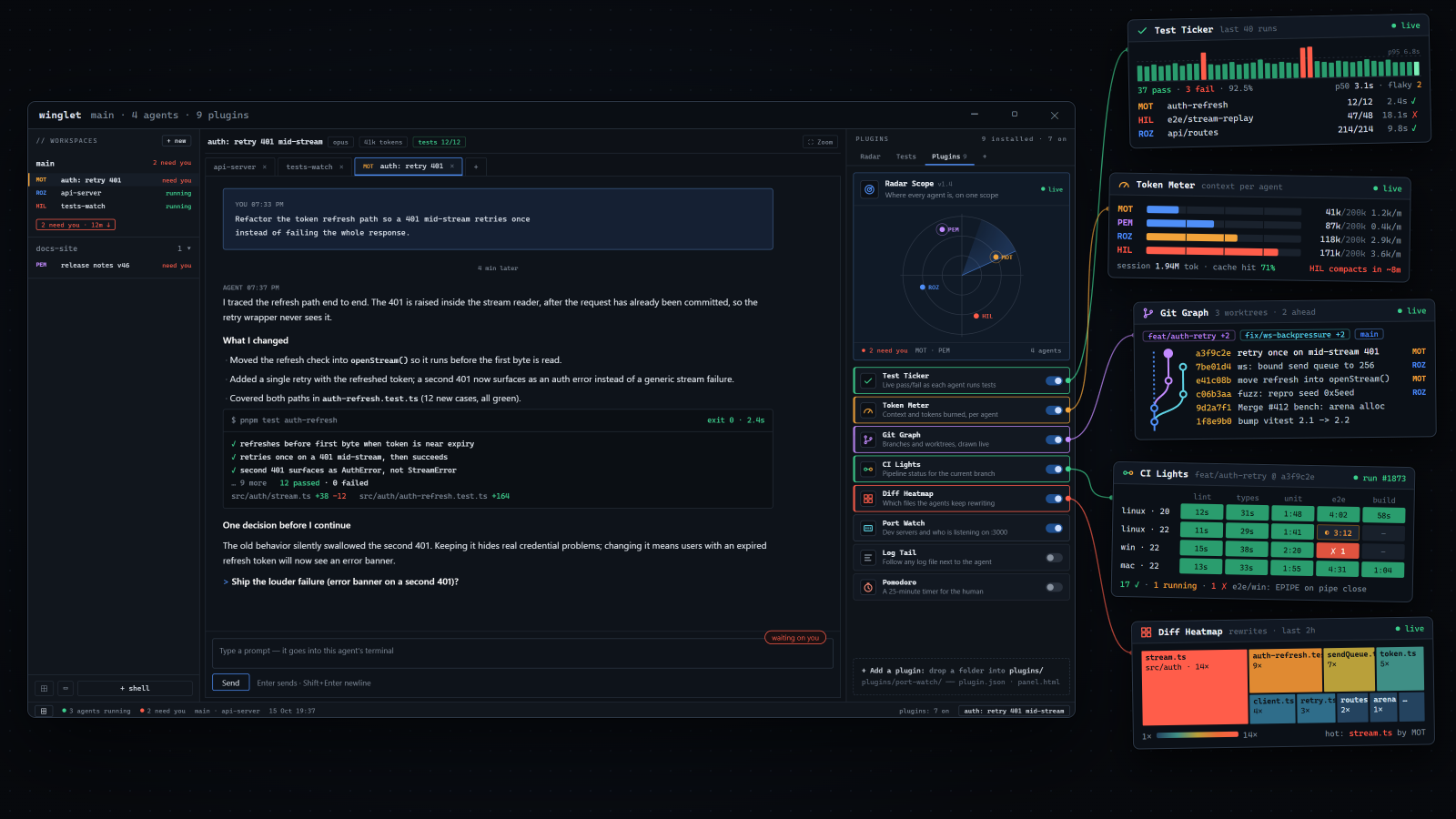
Keep test results or worktree status in view while your agents run. A script in any language can supply a panel. How to add a plugin.
- Start with an example: adapt a bundled panel for conversation status, test results, git worktrees, pending questions or weather. Two dozen producers to copy from.
- You approve plugin code: code stays inactive until you approve that version. Cloning a repo does not approve its plugins.
Let your agents share project decisions.
Give agents in the same repo a shared backlog, notes and decisions. They can read and update the same project record instead of keeping separate notes. The record stays on your PC; agents access it through the Model Context Protocol.
Keep using your CLI commands.
Run Claude Code, PowerShell, bash or CMD in a pane, or connect to your own host over SSH. Each pane is a Windows terminal. Restarting the winglet window leaves the terminal sessions running.